
To change the time format of the Video door phone:
- Switch on the screen if it is off, by touching it any point or by pressing the central button on Video door phones 1717/41 or /43.
- Tap the icon
 to open the Top Page.
 - Tap the icon
 to open the general configurations page:
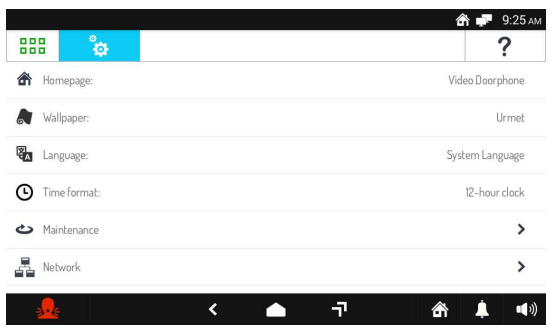
Tap Time format (the active format appears on the right). A pop-up window opens in which you can choose the Video door phone time format (shown on the top right). Select the new format or tap the X icon on the top right to close the window without making changes.
